Mortgage quotes your borrowers actually understand.
Price up to three options, any scenario, on one page with your brand. Share it in minutes, and know the moment they look.
Most mortgage quotes still go out as a spreadsheet, a PDF, and a long email thread. Borrowers can't tell which option actually saves them money, and you can't tell whether they ever opened it. Quote Builder replaces all of that with one private page, built for one borrower: up to three options side by side, every fee named, your face and brand on it. Then it tells you the moment they look.
Up to three options, any way you want
A quote isn't one rate. It's a decision, and borrowers decide by comparing. Put up to three options side by side and make each one whatever fits the borrower in front of you:
Program against program
Term against term
Down payment against down payment
Points against credit
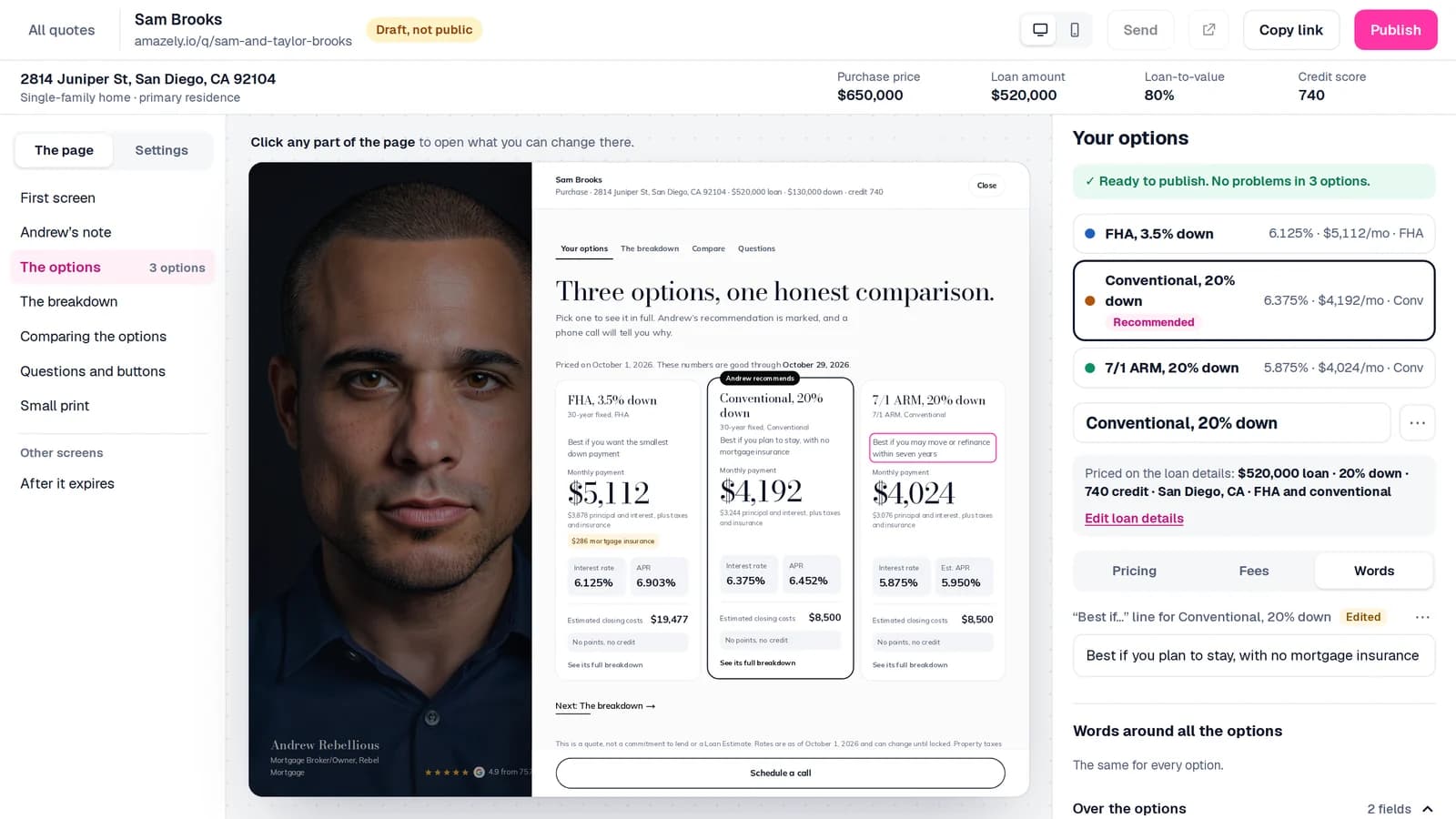
You enter your own rate for each option, and Quote Builder works out the rest: monthly payment, APR, mortgage insurance, cash to close, and loan-to-value.
How it works
Start from a template
Pick one of your saved quotes or templates. The design, the wording and the options come with it, so your next quote takes a minute.
Price the options
Enter the loan once: the address (the county fills in), the price and the credit score. Then shape up to three options any way you want.
Make it yours
Your photo, colors, license number and links come along automatically. Switch between four designs without losing a word or a number.
Publish, share, and know
Publishing checks every option first. Text the link, or send a branded email from your own name, then see exactly when they look.
Every fee, named
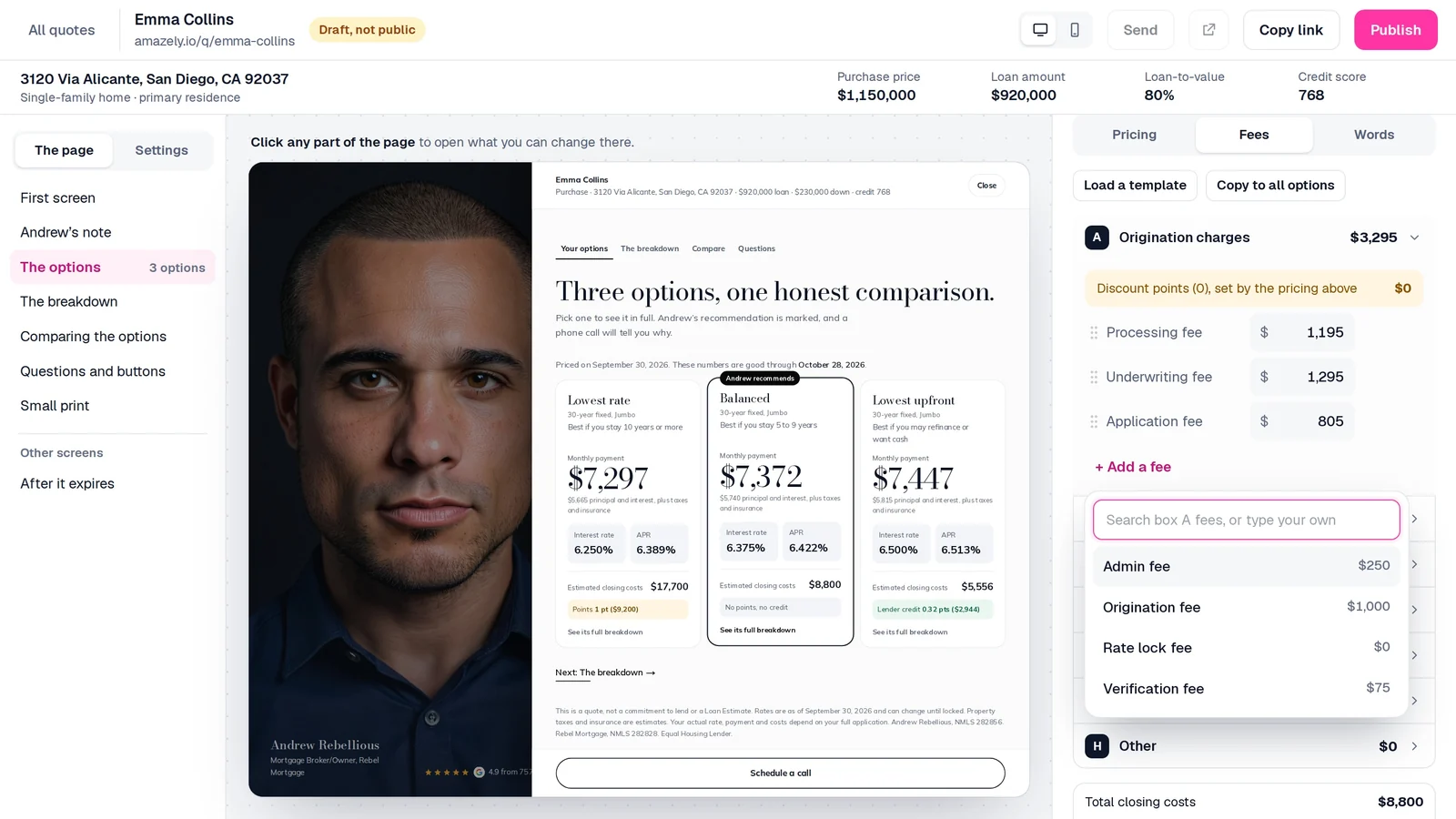
Nothing gets buried in "estimated closing costs." Fees are organized by section, filled in with the right ones for the county, and every one of them is visible to your borrower. Change a fee and every number on the page follows: the section total, the closing costs and the cash to close.
Your brand, not a system email
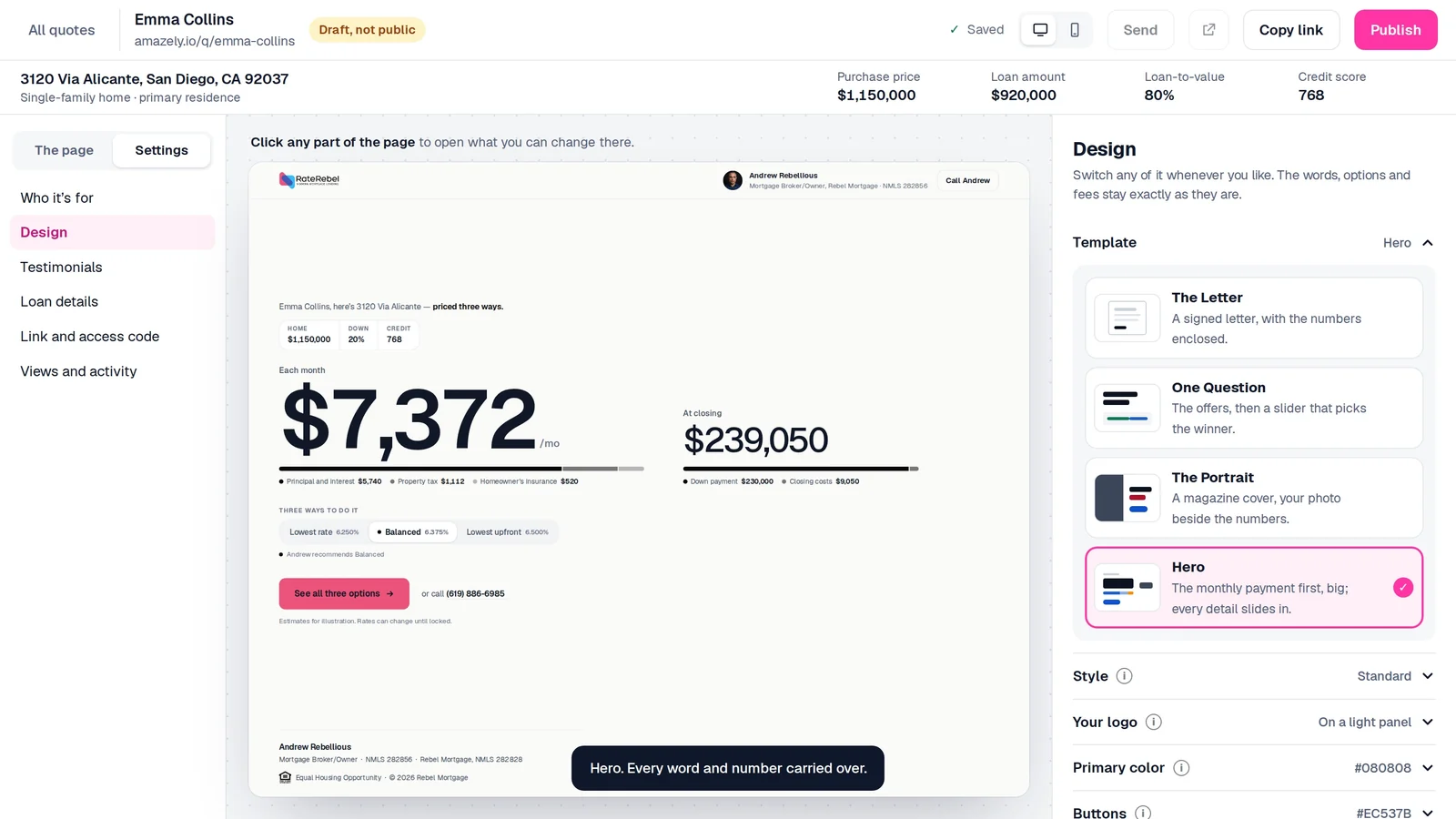
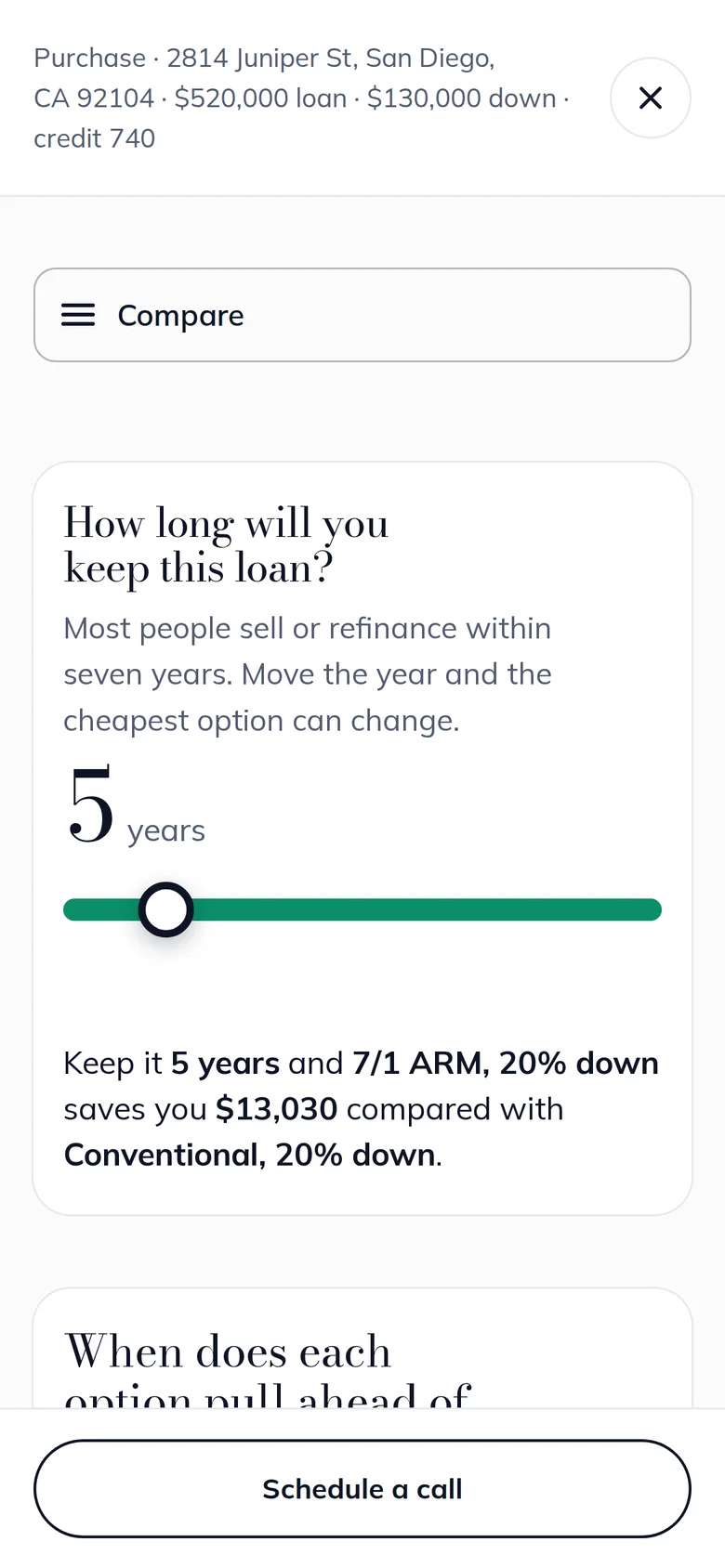
Choose how the page opens: The Letter (a signed letter with the numbers enclosed), One Question (the offers, then a slider that picks the winner), The Portrait (a magazine cover with your photo beside the numbers), or Hero (the payment first, big). Switch any time. The words, options and fees stay exactly as they are.
What your borrower sees
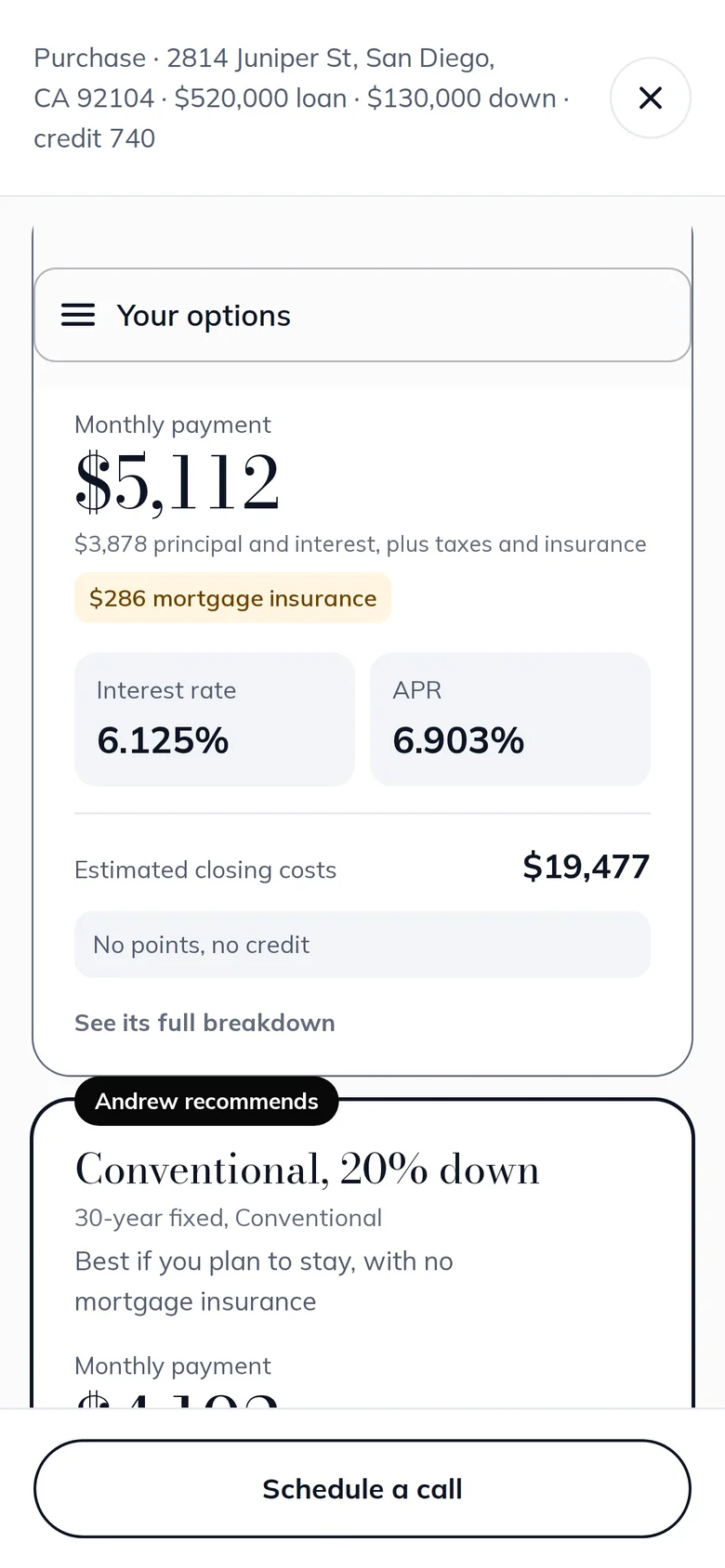
A private page, on any phone, with no login and no app. Your borrower can:
- Compare every option side by side, with every fee named
- Slide to how long they plan to keep the loan, and see which option actually costs less over that time
- Read answers to the questions borrowers always ask
- Ask you a question in one tap, or book a call
Send your first quote today
Start your free 14-day trial, build a quote from a template, and send it in minutes. No credit card required.
Know who's worth a call today
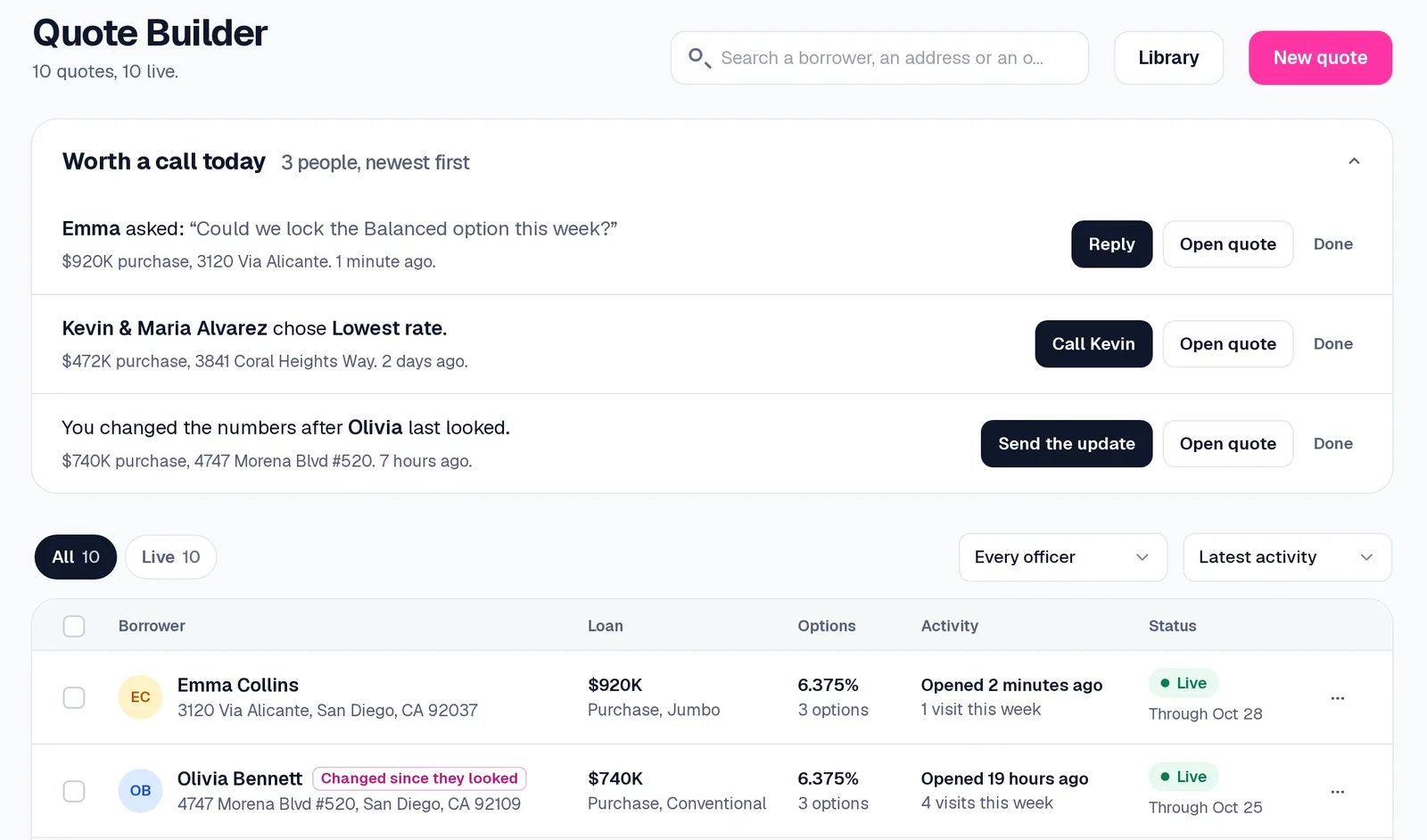
Sent, and then silence? Not anymore. Every quote records who opened it, how many times, which option they chose, and what they asked. Worth a call today puts the borrowers who just looked, chose an option, or asked a question at the top of your list, with a one-click reply. And if you change the numbers after they've looked, Quote Builder reminds you to send the update.
Everything else, built in
Templates
County-correct fees
Expiry that works for you
Private by default
Co-borrowers and agents
Your proof, on every quote
Your own web address
Quote Builder works alongside the rest of rebel Ai: send borrowers from an AI landing page or a lead-gen calculator, follow up from the CRM, and see what each plan includes on pricing.
Frequently Asked Questions
What is Quote Builder?+
How many options can one quote show, and can they be different loans?+
Does my borrower need to log in or download anything?+
How do I know when a borrower looks at the quote?+
Is a quote a Loan Estimate?+
Which plan includes Quote Builder?+
Get in and start building — free
Instant access, no credit card. AI-built pages, lead-capture calculators, and a CRM that follows up for you — your first build live in minutes.